


Spider Solitaire - Card Games
4.5447.00 Reviews
App Specs
- Version
- 2.5.13
- Updated On
- License
- Free
- Downloads
- 1,000,000+
- Developer
- Conifer limited
- Categories
- Card
- Platform
- Android
Screenshots
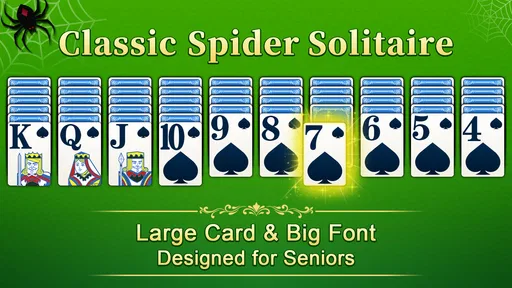
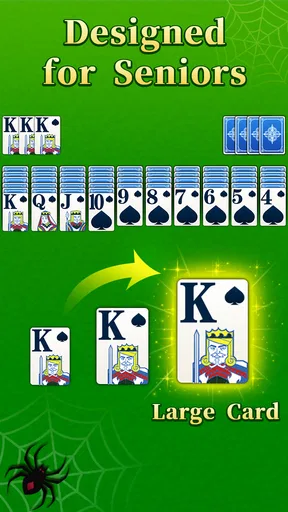
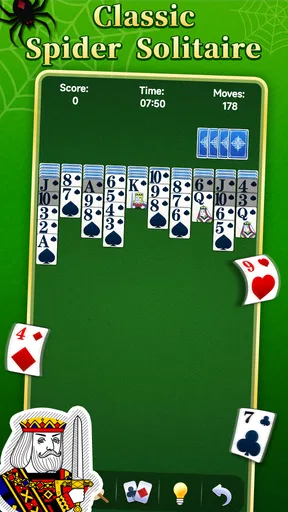
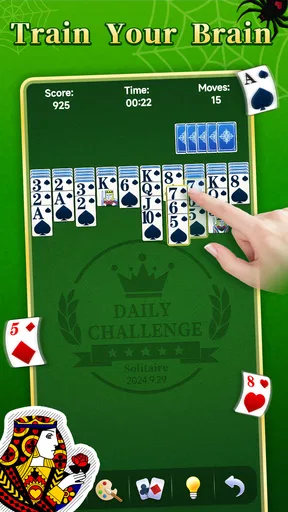
 Analysis by AppCompare
Hey there! I recently took a deep dive into the world of classic card games and stumbled upon Spider Solitaire - Card Games. As someone who played solitaire on my old Windows PC back in the day, I was curious to see how this app stacks up. Spoiler alert: it’s a total nostalgia trip with a modern twist. Let’s unravel the web of features and see if it’s worth your time.
A good fit for short, focused breaks
I see the appeal most clearly in the small gaps that are too short for a long game but long enough to want something more engaging than scrolling. A quick Spider Solitaire session gives me a simple goal: look over the columns, choose a move, and see whether it opens up useful space. That makes it a natural option for a quiet coffee break or a few minutes waiting for an appointment.
It also suits people who enjoy sorting out a puzzle without needing a story, a team, or a live opponent. The satisfaction comes from watching a messy layout become more manageable through careful choices. If you want constant novelty, elaborate progression, or a game that depends on social interaction, this is a narrower kind of entertainment and may not hold your attention for long.
Choosing a pace that matches your attention
The useful question is not simply whether you can win, but how much concentration you want to spend. A more forgiving setting is better when you are winding down or playing with interruptions; a tougher one makes each decision feel more consequential. I would avoid starting a demanding deal when you know you will need to put the phone away immediately, because stopping halfway can leave the puzzle’s plan in your head.
For a more deliberate session, I try to treat each move as a small experiment rather than tapping quickly until something changes. Before moving a card, I check whether the action uncovers a hidden card, creates a useful empty column, or merely shifts a problem elsewhere. That habit makes the game feel more thoughtful, and it helps me notice when I am rearranging cards without improving my options.
First Impressions and Interface
Upon firing up Spider Solitaire - Card Games, the first thing that hit me was the clean, user-friendly interface. They’ve kept it simple, which is just what you need when you’re settling down for a chill card session. No flashy graphics or distracting animations here—just a straightforward design that lets you dive right into the action.
The app is super intuitive, so if you’re familiar with the classic game, you’ll feel right at home. For those who need a little refresher, there’s a handy tutorial that gets you up to speed in no time. I appreciated how they catered to both seasoned players and newbies alike.
Worth Reading Before You Choose

EA SPORTS FC Mobile 26 Is a Bigger Football Game, but It Takes Time

Flipboard Shows What News Apps Must Do Beyond the Feed

Switching to Android Auto Means Rethinking Your Driving Routine

Google Calendar Makes a Crowded Week Easier to Manage

Ludo King Makes the Most of the Minutes Between Plans

Baby Panda World Brings Quick Play to Modern Phones, but Its Game Library Feels Busy
Gameplay and Features
This app offers multiple levels of difficulty, ranging from beginner to expert. So whether you’re just killing time or looking for a serious brain workout, there’s something here for you. Personally, I started on the intermediate level, and it was the perfect balance of challenge and relaxation.
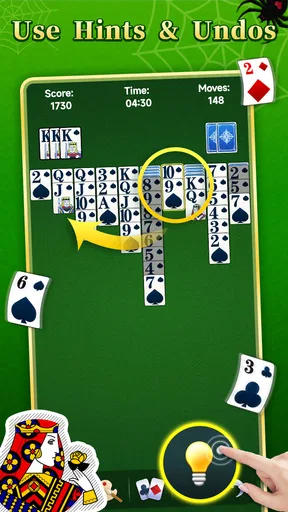
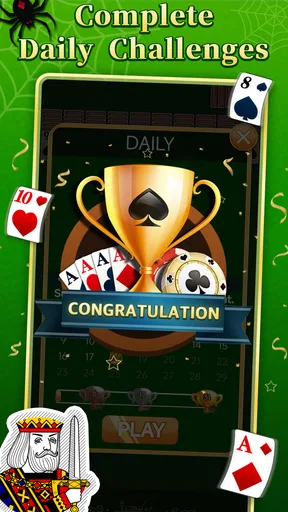
Spider Solitaire - Card Games also includes daily challenges, which are a great way to keep things fresh. Completing these challenges earns you rewards, adding a fun incentive to keep coming back. Plus, there’s a built-in hint system for those moments when you’re totally stuck. Trust me, it’s a lifesaver!
Getting more from each deal
One practical way to use hints is as a check on your reasoning, not as the first move whenever the board gets awkward. I like to study the columns and make a short plan first; if I still cannot see a productive choice, a hint can help me resume rather than abandon the deal. Used that way, it supports learning without taking all the decision-making out of the game.
Another useful habit is to pause before clearing a complete sequence. Finishing one feels rewarding, but the best immediate move is not always the one that looks most final. I weigh the space it creates against the cards I might still need to uncover or move. That small trade-off is part of what separates a satisfying Spider puzzle from simply tapping at whatever seems available.
The challenge-and-reward rhythm works best for players who enjoy a reason to return but still want each game to be self-contained. A daily task can provide a clear target when I do not feel like choosing my own, while an ordinary deal is better when I just want to play at my own pace. If you dislike prompts that encourage a routine, you can ignore that extra goal and focus on the cards instead.
Customization Options
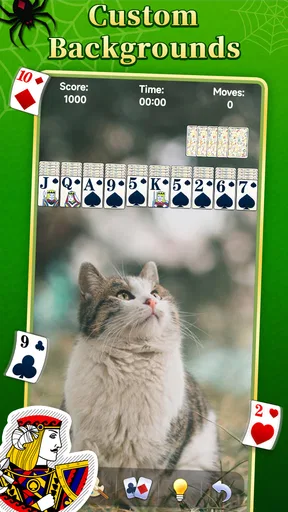
One of the standout features of this app is the customization. You can change the card backs, table backgrounds, and even the card faces. I had a blast mixing and matching until I found the perfect combo that suited my mood. It’s these little touches that make the game feel personal and engaging.
And for those who like to keep track of their progress, there’s a detailed stats page. You can monitor your wins, losses, and best scores, giving you that extra push to improve. It’s like having your own personal scoreboard right in your pocket.
Making the screen comfortable to use
Card and table choices are more than decoration when you are looking at the same layout for a while. I would choose a combination that makes the suits and ranks easy for me to distinguish, even if a more decorative look initially seems appealing. A clear contrast reduces the effort of scanning columns, especially during a longer deal or when playing in a distracting setting.
The stats are most useful when I compare my own habits over time rather than treating every result as a verdict. A run of losses can reflect difficult deals or rushed decisions; it does not automatically mean I am getting worse. Looking at the record as a prompt to slow down, reconsider sequencing, or try another difficulty is a healthier use of it than chasing a perfect-looking total.
Performance and Accessibility
I tested the app on both Android and iOS devices, and it runs smoothly across the board. No glitches or crashes to report, which is always a relief. The developers clearly prioritized a seamless user experience, making it accessible for players on all types of devices.
The app is also lightweight, so it won’t eat up too much of your storage space or battery life. Perfect for those long commutes or when you’re just lounging around the house.
What to expect before installing
This is a free card game from Conifer limited, and it is rated for Everyone. It has a 4.5 average from around 15 thousand ratings, with over 1 million installs, so it has clearly found an audience beyond people revisiting an old desktop favorite. It was released on October 27, 2022, and version 2.5.13 requires Android 6.0 or later.
Those details make it easy to judge the basic fit, but the more important choice is what you want from a card game. Compared with a solitaire variant built around a different layout, Spider asks you to manage several sequences and think about how cards can be rearranged across columns. Compared with a multiplayer card game, it is quieter and more self-directed: there is no need to coordinate with another person or wait for a turn. That independence is a strength for a brief solo break, but it will not replace the social tension of playing against someone.
For a realistic routine, I can imagine opening it during a lunch break, playing one deal while I eat, and leaving the app when the break ends. If I have more time later, the difficulty options give me a way to make the next session more demanding without changing to a different game. I would not choose it while listening for an important call or trying to work through a conversation, though: even a calm puzzle asks me to keep track of where cards are and what a move will uncover.
Social Features
If you’re the competitive type, you’ll love the social features. You can connect with friends, compare scores, and even see where you rank on the global leaderboard. It’s a nice touch that adds a bit of friendly competition to the mix.
Though I’m more of a solo player, it’s fun to check out how I stack up against others. It gives you that extra motivation to hone your skills and climb the ranks.
When another card game is the better pick
The leaderboard is an optional extra rather than the reason I would recommend the game. If comparing results motivates you, it gives a solo activity a light competitive edge. If rankings make a relaxing pastime feel like another obligation, there is no need to make them part of your routine; the core appeal remains solving the cards in front of you.
I would steer someone toward a more varied card collection if they want to switch between different rules and moods in one sitting. I would also suggest a head-to-head game to anyone who mainly enjoys bluffing, reading an opponent, or sharing a match with friends. This app is more focused: it is for people who like returning to the same kind of layered card puzzle and gradually getting more deliberate about their choices.
For someone new to Spider Solitaire, the tutorial makes the first session less intimidating, but I still recommend taking time to learn why a move helps rather than relying on hints every time. For an experienced player, the stronger difficulty settings and personal stats give a reason to refine familiar habits. Neither audience needs to treat every deal as a test; the relaxed pace is part of the point.
Final Thoughts
All in all, Spider Solitaire - Card Games is a fantastic app that captures the essence of the classic game while offering enough modern features to keep things interesting. Whether you’re a longtime fan or a newcomer looking to try something new, this app is definitely worth a download.
The blend of simplicity, customization, and engaging gameplay makes it a standout in the sea of card games available today. So go ahead, give it a shot, and let yourself get caught up in the web of Spider Solitaire. Who knows? You might just find your next favorite way to unwind!
Pros
- Smooth and intuitive interface.
- Variety of difficulty levels.
- Customizable card designs.
- Offline play available.
- Minimal ads
- non-intrusive.
Cons
- Limited daily challenges.
- No multiplayer mode.
- Occasional app crashes.
- Lacks tutorial for beginners.
- Some features are paywalled.
FAQs for Spider Solitaire - Card Games
What makes Spider Solitaire - Card Games different from other solitaire games?
Spider Solitaire - Card Games offers unique gameplay with multiple difficulty levels, including the classic Spider Solitaire experience with one, two, and four suit variations. The app provides a user-friendly interface, customizable card designs, and daily challenges to keep players engaged. Its smooth performance and offline playability also set it apart from other solitaire apps.
Is Spider Solitaire - Card Games free to play?
Yes, Spider Solitaire - Card Games is free to download and play. However, the app offers in-app purchases for additional features, such as ad removal and premium card themes. While these purchases enhance the gaming experience, they are entirely optional, allowing players to enjoy the core game without spending any money.
Can I play Spider Solitaire - Card Games offline?
Absolutely! Spider Solitaire - Card Games is designed to be fully functional offline, making it a perfect companion for those times when you're without an internet connection. You can enjoy all the standard features of the game, including various difficulty levels and personal statistics tracking, without needing to be online.
How does the daily challenge feature work in Spider Solitaire - Card Games?
The daily challenge feature provides players with a new, unique puzzle every day. Completing these challenges earns rewards and helps you build a winning streak. Challenges vary in difficulty, offering a mix of one, two, and four suit games, ensuring that players of all skill levels can participate and enjoy the competition.
What accessibility features are available in Spider Solitaire - Card Games?
Spider Solitaire - Card Games includes several accessibility options, such as adjustable text size, color-blind modes, and easy-to-read card designs. The app aims to be inclusive by providing customizable settings that allow players to tailor the experience to their specific needs, ensuring enjoyable gameplay for everyone.


